


User Interface/Usability
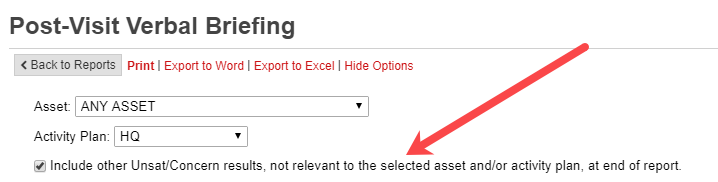
- If the Post-Visit Verbal Briefing Report is filtered by an asset or activity, inspectors may opt to include Unsat/Concern results from other assets/activities at the bottom of the report to ensure that nothing is overlooked:
- Improved attachments filters - including new ability to sort by creator, platform (IA Desktop vs IA Mobile), and a range of dates. Inspectors can now also filter attachments based on links to questions, results, and forms:

- Added ability to reset all attachment filters with a single click:

- PIV card users will now be alerted when their password is about to expire. Note that periodic password updates are required even for PIV use per PHMSA policy.
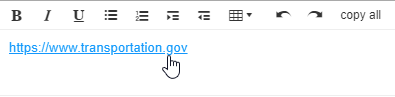
- External URLs added to most input fields in IA Desktop will now render as clickable links:
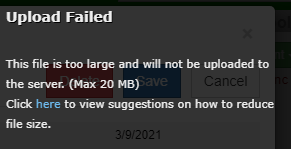
- If an inspector attempts to upload a file larger than 20MB, IAD will offer tips on how to reduce file size:
Small improvements
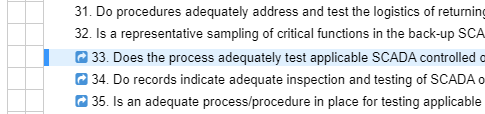
- If a “question comparison window” is opened via the Planning or Inspection tab, the question will be highlighted so that question lists are easier to navigate when returning to the main IA Desktop window:

- Messaging added to notify inspectors about soon-to-be-retired reports (Inspection Briefing (legacy), Inspection Completion Status, Plan Selections)
- Improved search ability on attachment filters
- Attachment filters for assets and activities list items in the same order in which the inspector ordered them when creating assets and activities
- Removed “beta” designation from Heatmap report
- Removed references to retired IS Form from workflow process
- Updated “Help/Tools” tab with current installation instructions and links to DOT Privacy Policy and FOIA information
- IAT contact information updated for SW Region representative
- Empty attachment location fields from IA Mobile are now better handled in IA Desktop
- Resolved an issue where IA Desktop’s inspection tab could get into a state where question headers overlapped results and consideration tabs
- On the attachments map view, inspectors now have the ability to open synced images and other files via the popover seen while hovering an attachment’s icon on the map
- In the attachments list, file icons will reflect the file type for commonly used files
- Fixed several small issues that could result in inspectors seeing a red “error notification” at the bottom of IA Desktop