


This release involves both content and policy-support changes as well as a few usability and performance upgrades. Key changes are listed below.
Content Changes
- The new 2016 content revisions are included with this update. An overview of the changes broken down by system type is attached.
- ‘Confirm’ flags have been removed, so the ‘confirm’ subset option is no longer available.
Application Changes
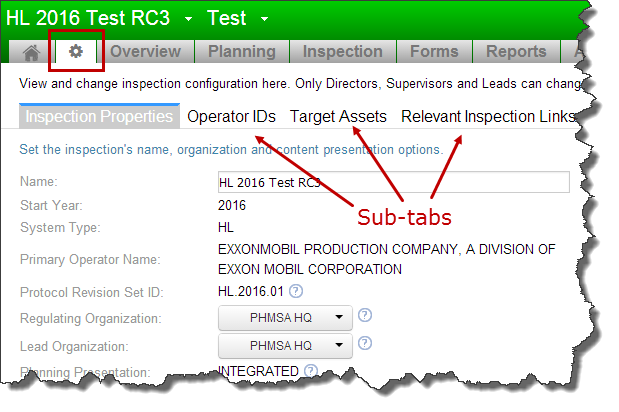
- The Configuration page is now available from a top-level tab.
- The Configuration page is now divided into sub-tabs for easier navigation.
The setup process has not changed.
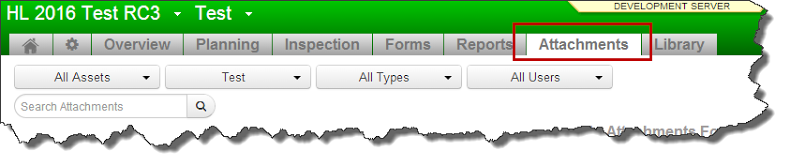
- The inspection-level attachment list how has its own tab
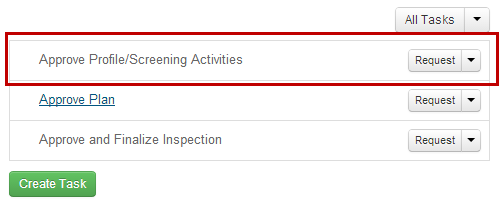
- For HL and GT inspections, there is a new default task titled “Approve Profile/Screening Activities”. With a corresponding validation rule that flags missing approvals.
- For inspections based on 2016 content, the planning interface has been simplified by the removal of the Detail/Confirm/Not planned control. Specific planning decisions should now be recorded in the Inspection Summary text.
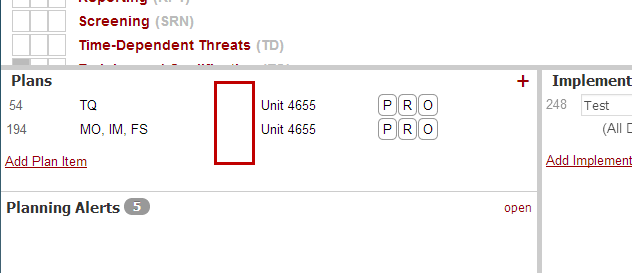
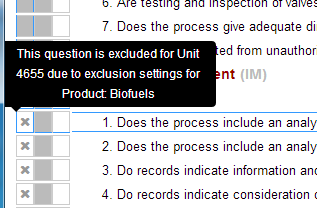
- Planning grid will now display an “x” when the question is excluded for the corresponding asset due to exclusions.
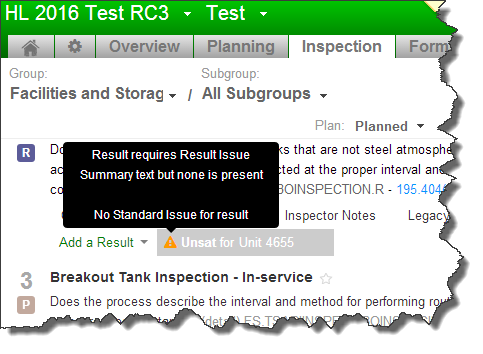
- Common results validation issues are now displayed for the user in real-time as well as in the validation report.
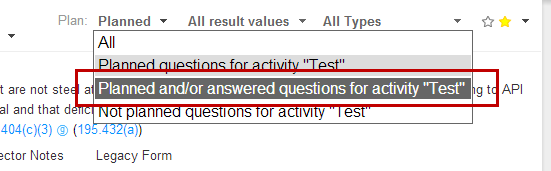
- Inspection tab now has a planned and/or answered filter option. Analogous to IA Mobile’s.
Other Changes
- Validation items that involve configuration issues will link to the corresponding tab on the configuration page
- Validation report rule inventory is now displayed in its entirety irregardless of the inspection’s current data types.
- IOR workflow template tables have been removed
- Standard issue severity are now more easily discoverable as a box and a mouse-over hint appear on mouse-over.
- Snoozed tasks can now have notes added when they are snoozed.
- New Inspection button now stays on-screen
- Default names for multi-unit assets are now improved