


Result Entry
- Major Feature: Inspectors can now enter results, assign assets, and add notes without first completely expanding the question. Important: This feature is a non-trivial change to the result entry process. Inspectors are encouraged to watch the screencasts and familiarize themselves with the feature prior to using it in the field.
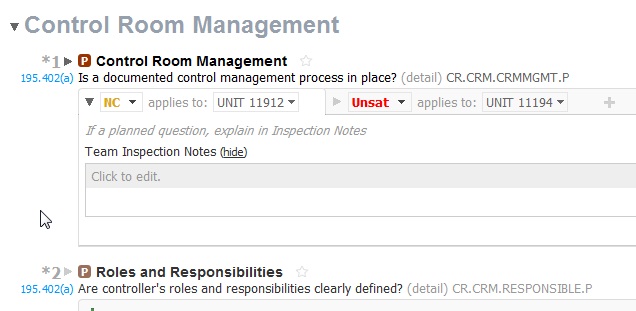 2. Rich edit text box now supports ctrl-commands for bold, italic, underline. 3. Rich edit text box now cleans content pasted from word to help standardize the formatting of inspection notes.
Reports
- Export-to-Word improvements, particularly in the export question report.
- Report presets for Export Questions.
Data Forms
- New: Breakout Tank Data Form (the data-portions of Form 10).
Updates to Question Pool
Note: Some updates to question pool content will only be seen in new inspections to avoid disruption of ongoing inspections. If you have already created an inspection but have not yet started it, you may wish to delete and re-create the inspection in order to use the updated question pool for that inspection.
- Numerous Question feedback items addressed.
- Clarification of Standard Issues text for some generic issues.
- Resolved BO Tank Procedures planning directive issue which selected more than just the expected “P” questions.
- BO Tank Questions recently returned to Form 3 now appear in the Procedures group of the Unit presentation
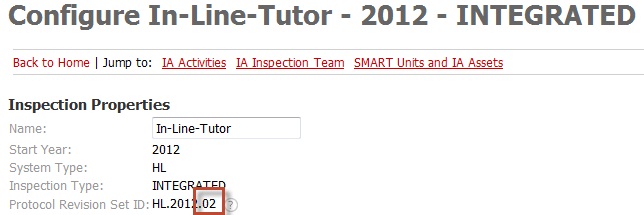
The latest question pools for HL and GT now end with 2012.02. You can check your inspection’s active question pool on the Configure page.
 Other
Other
- Login with email address as an alternative to user name.
- Enhanced instructions for IM risk category settings.
- Disconnected login re-enabled, and disconnected messages improved.