


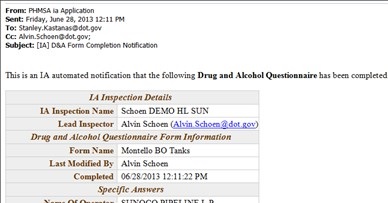
- Automatic Email Alerts for Drug and Alcohol Questions Form is now live (form email to PHMSA HQ triggered by checking “complete” on the D&A form).
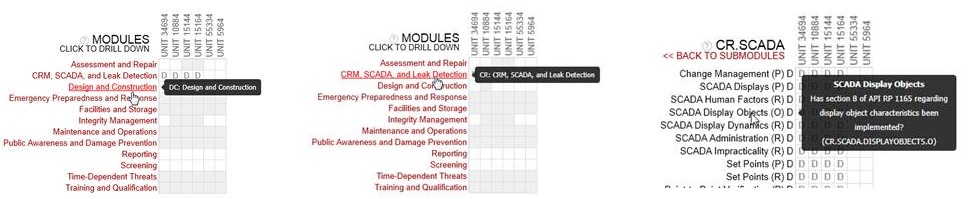
 2. Construction Daily Form now available. 3. Readability enhancements on planning grid - Based on All-Inspector’s meeting feedback, and made feasible by pending Asset grouping features, Row and Column lables of the Plan Grid were modified for better readability.
 4. Changes to Export Question options - Now All planned without complete results. That is, a question will only be excluded if it is a) not planned or b) has a complete set of asset-specific results that fulfill the plan. And in the optional result grid, the results are provided with grey rows to indicated unplanned.

Other Changes
- Library upload is now disabled for all new inspections. Users are directed to the attachments feature instead. The library feature is still a valid resource for read-only, PHMSA-generated profiles, guidance etc, but is not used for general uploads from the inspection team.
- Issue with new results temporarily disappearing when disconnected (and reappearing when connected again) has been resolved
- Conflict icons appear on attachment browse tiles when attachments are in conflict
- Allowed attachments to be linked to NO activities if desired
- Considerably improved performance and avoided “string too long” messages for very large reports
- Adjusted overview tab layout to work better at 1024 resolution
- Made all asset selectors consistent (display short name with long name under popover)
- All users may now view the config page (but only Lead, Super, and RD can make changes as before)
- Inspection name fields lengthened
- Update zips are removed on start up if more than 2 months old
- Workflow activation message moved to better place on overview tab for old inspections